Being banned from an Activision game or platform can be a frustrating experience, especially if you’re an avid player of popular titles like “Call of Duty.” Whether you believe the ban was issued unfairly or you simply want to learn more about the process, understanding how to appeal a ban is crucial. This comprehensive guide will walk you through everything you need to know about Activision bans, from the types of bans and reasons they occur to the steps required for a successful appeal.
Understanding Activision Bans
What is an Activision Ban?
An Activision ban is a restriction placed on a player’s account or hardware that prevents them from accessing certain features, games, or services provided by Activision. These bans are typically a result of violations of Activision’s Terms of Service, Code of Conduct, or other community guidelines.
Types of Bans
Activision bans come in several forms, depending on the severity of the violation:
- Temporary Ban: A temporary suspension that restricts access to specific games or features for a limited period, typically ranging from a few hours to several weeks.
- Permanent Ban: A complete and indefinite ban that removes access to all or specific games, services, or even the entire Activision account.
- Account Ban: A ban that affects a specific player account, preventing the user from logging in or using any services associated with that account.
- Hardware Ban: A severe form of ban that blocks a specific device from accessing Activision’s services. This is usually issued in cases of extreme violations like hacking.
- Shadow Ban: A subtle form of ban where the player is not explicitly notified but is placed in matches with other banned or suspected players, resulting in longer queue times and poor matchmaking.
Common Reasons for Bans
Activision may issue bans for a variety of reasons, including but not limited to:
- Cheating or Hacking: The use of unauthorized software or tools, such as aim bots, wallhacks, or other exploits.
- Boosting: Collaborating with others to unfairly boost stats or rank, often by manipulating the game environment.
- Toxic Behavior: Engaging in harassment, hate speech, discrimination, or other forms of abusive communication.
- Exploiting Glitches: Abusing in-game glitches or bugs for unfair advantages.
- Account Sharing or Selling: Sharing your account credentials with others or attempting to sell your account.
- Use of Unauthorized Hardware or Software: Utilizing modded controllers, macros, or other external devices to gain an advantage.
- Violation of Community Guidelines: Posting inappropriate content or behavior in forums, groups, or other Activision-supported platforms.
Understanding the reason for your ban is the first step towards appealing it.
How to Check if You’re Banned
Symptoms of a Ban
If you suspect you have been banned by Activision, there are several symptoms to look out for:
- Unable to Log In: You receive an error message when trying to log into your Activision account.
- Access Denied to Specific Features: You can log in, but certain game modes or features are inaccessible.
- Notification from Activision: You may receive an in-game message or an email from Activision notifying you of the ban.
- Extended Matchmaking Times: If you’re shadow-banned, you might notice significantly longer wait times in matchmaking.
Confirming Your Ban Status
To confirm whether you have been banned, follow these steps:
- Log into Your Activision Account: Visit the Activision website and log in with your credentials.
- Check Your Notifications: Look for any alerts or messages about a ban on your account dashboard.
- Review Your Email: Check the email associated with your Activision account for any messages about a ban. Sometimes, notifications are sent directly to your email.
- Attempt to Access the Game: Try to log into the game you were playing when you suspect you were banned. If you’re unable to access the game, it’s another indicator of a ban.
If you find that you are indeed banned, proceed to the next step of preparing for an appeal.
Preparing for Your Ban Appeal
Gather Relevant Information
Before submitting an appeal, it’s essential to collect all relevant information to strengthen your case. Here’s what you should have:
- Activision ID: Your unique player identifier.
- Game Details: The title of the game you were banned from, including any specific mode or feature.
- Date and Time of Ban: The approximate date and time when the ban occurred.
- Screenshots or Evidence: Any supporting evidence, such as screenshots, videos, or logs, that can help prove your case.
- Email Correspondence: Copies of any emails or notifications received from Activision regarding the ban.
Understand the Reason for Your Ban
Make sure you clearly understand why your account was banned. If you have received an email or notification from Activision, it should indicate the reason for the ban. Reviewing the reason will help you tailor your appeal and address the specific issue in question.
Check Activision’s Policies
Familiarize yourself with Activision’s Terms of Service, Code of Conduct, and community guidelines. Understanding these documents will help you align your appeal with their rules and policies, giving you a better chance of a successful outcome.
How to Appeal an Activision Ban
Step-by-Step Guide to Filing an Appeal
If you believe the ban was issued unfairly or in error, you have the option to appeal it. Here’s how to file an appeal with Activision:
- Visit the Activision Support Website: Go to the Activision Support page.
- Log into Your Account: Use your credentials to log in.
- Navigate to the Ban Appeal Section: Look for the “Ban Appeal” or “Submit a Ticket” option. This is typically found under the “Account” or “Support” section.
- Select the Game and Platform: Choose the game you were banned from and the platform you were playing on.
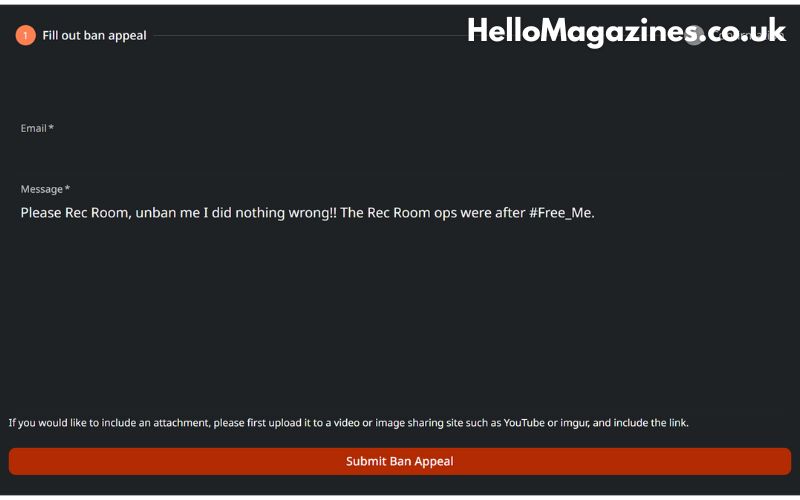
- Fill Out the Appeal Form: Provide all the necessary information, including your Activision ID, email address, details about the ban, and any supporting evidence.
- Write a Clear and Concise Appeal: In the appeal form, explain why you believe the ban was unjust or a mistake. Be polite, factual, and to the point.
- Submit the Appeal: Once you’ve filled out the form and attached any evidence, submit your appeal for review.
Dos and Don’ts of Writing an Appeal
When writing your appeal, consider the following tips:
Dos:
- Be Polite and Respectful: Maintain a polite tone throughout your appeal.
- Provide Evidence: Attach any screenshots, videos, or logs that support your case.
- Be Honest: If you made a mistake, admit it and express your commitment to adhering to the rules in the future.
- Stay Factual: Stick to the facts and avoid emotional language or excessive pleading.
- Keep It Concise: Provide a clear and concise explanation of the situation.
Don’ts:
- Don’t Use Abusive Language: Avoid using any language that could be perceived as rude or confrontational.
- Don’t Spam: Submitting multiple appeals or repeatedly contacting support will not speed up the process and may hurt your case.
- Don’t Provide False Information: Misrepresenting facts can lead to a permanent ban without the possibility of future appeals.
After Submitting Your Appeal
What to Expect
After submitting your appeal, you will receive a confirmation email from Activision acknowledging receipt of your appeal. The time it takes for Activision to review appeals can vary, but here are some general guidelines:
Timeline for Appeal Review
- Initial Response: You should receive an initial response within a few days, but it could take longer depending on the volume of appeals.
- Full Review: A complete review of your case may take anywhere from a few days to several weeks.
- Final Decision: You will receive an email from Activision with the final decision regarding your appeal.
Potential Outcomes of Your Appeal
There are a few potential outcomes following an appeal:
- Ban Lifted: If Activision determines the ban was issued in error, they will lift the ban, and you’ll regain access to your account.
- Ban Upheld: If the review finds that the ban was justified, the ban will remain in place. In some cases, you may be informed of the specific evidence against you.
- Ban Modified: Occasionally, a permanent ban may be reduced to a temporary one, or restrictions on specific features may be removed.
If your appeal is denied, you may have the opportunity to appeal again after a certain period or provide new evidence to support your case.
Preventing Future Bans
Best Practices for Fair Play
To avoid future bans, adhere to the following best practices:
- Play Fair: Avoid using cheats, hacks, or third-party software.
- Respect Other Players: Maintain good sportsmanship and avoid engaging in toxic behavior.
- Report Issues: If you encounter bugs, glitches, or other issues, report them to Activision rather than exploiting them.
- Stay Informed: Regularly review Activision’s Terms of Service and Code of Conduct to stay updated on what is and isn’t allowed.
Tips to Avoid Being Flagged by Activision
- Use Legitimate Software: Always download games and software from official sources.
- Avoid Sharing Your Account: Do not share your account information with others.
- Monitor Your Account Activity: Regularly check your account for any unauthorized activity or changes.
See Also: 5StarsStocks AI
FAQs
Can I appeal a permanent ban?
Yes, you can appeal a permanent ban. Follow the same steps outlined in the appeal process, and provide as much relevant information and evidence as possible.
How long does it take to process an appeal?
The time to process an appeal can vary, but it typically takes a few days to a few weeks, depending on the volume of appeals and the complexity of the case.
Can I appeal more than once?
Yes, in some cases, you may be allowed to appeal more than once. However, it is essential to provide new evidence or additional context that was not included in your first appeal.
What should I do if my appeal is denied?
If your appeal is denied, you can try again after a certain period, or if you have new evidence that supports your case, you can submit a new appeal with that information.
Are hardware bans permanent?
Hardware bans are typically permanent and are issued in cases of severe violations. It is challenging to get a hardware ban lifted, and appeals are usually denied unless there is compelling evidence that the ban was issued in error.
Conclusion
Being banned from an Activision game or platform can be a distressing experience, but understanding the reasons behind bans and knowing how to effectively appeal them can increase your chances of a successful outcome. Remember to remain polite, provide relevant evidence, and familiarize yourself with Activision’s rules and policies to prevent future bans.
By following the steps outlined in this guide, you’ll be better prepared to handle a ban and hopefully get back into the game sooner rather than later.